
Everything Click to Chat does
One job, done properly: start a conversation with a phone number without turning it into a permanent contact. Here is how each part of the app supports that.
Open any number instantly
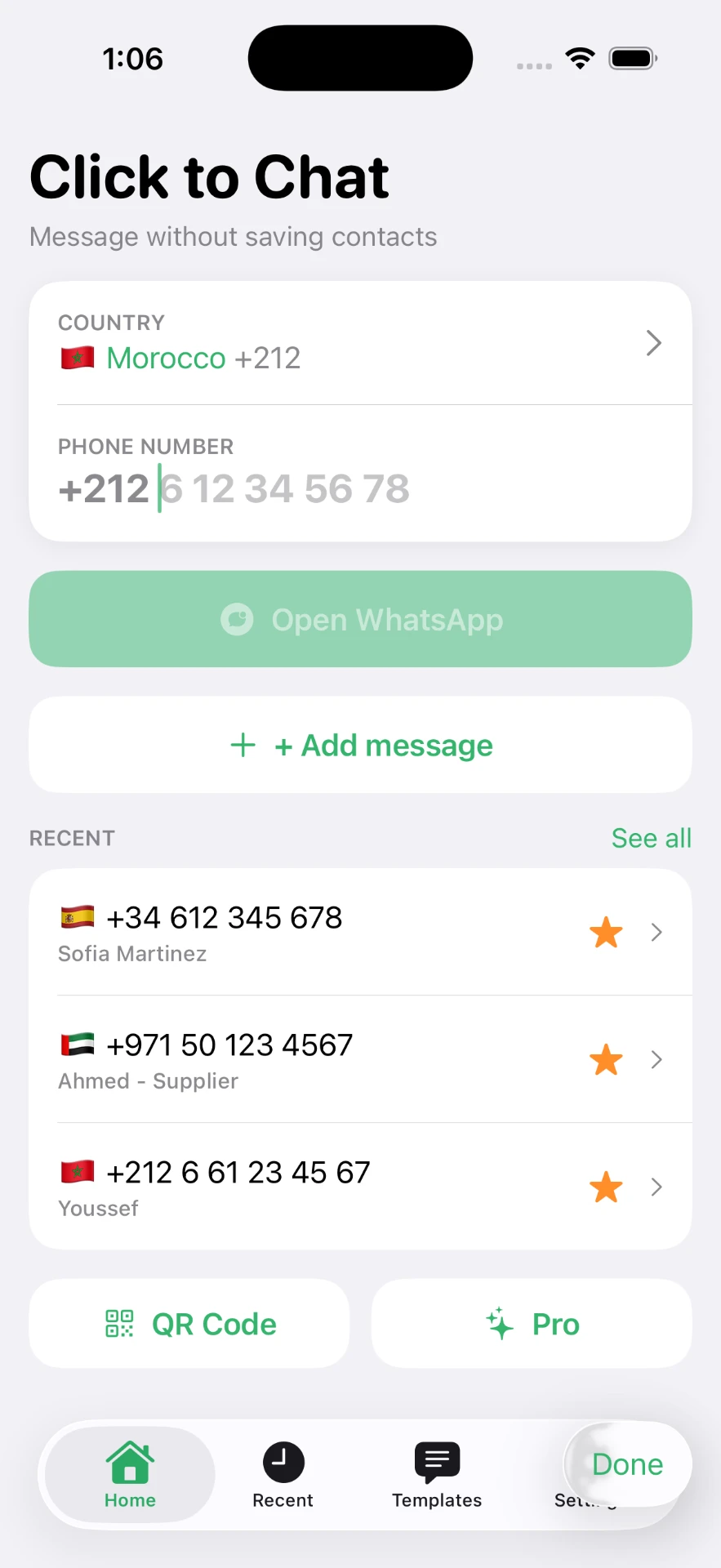
Choose the country, type the local number, tap once. The app builds the international format for you, so leading zeros and trunk prefixes stop being your problem. No contact card is created at any point.
- Country picker with dial codes and flags
- Automatic international formatting
- Paste a number in any format and it is cleaned up
Recents and favorites
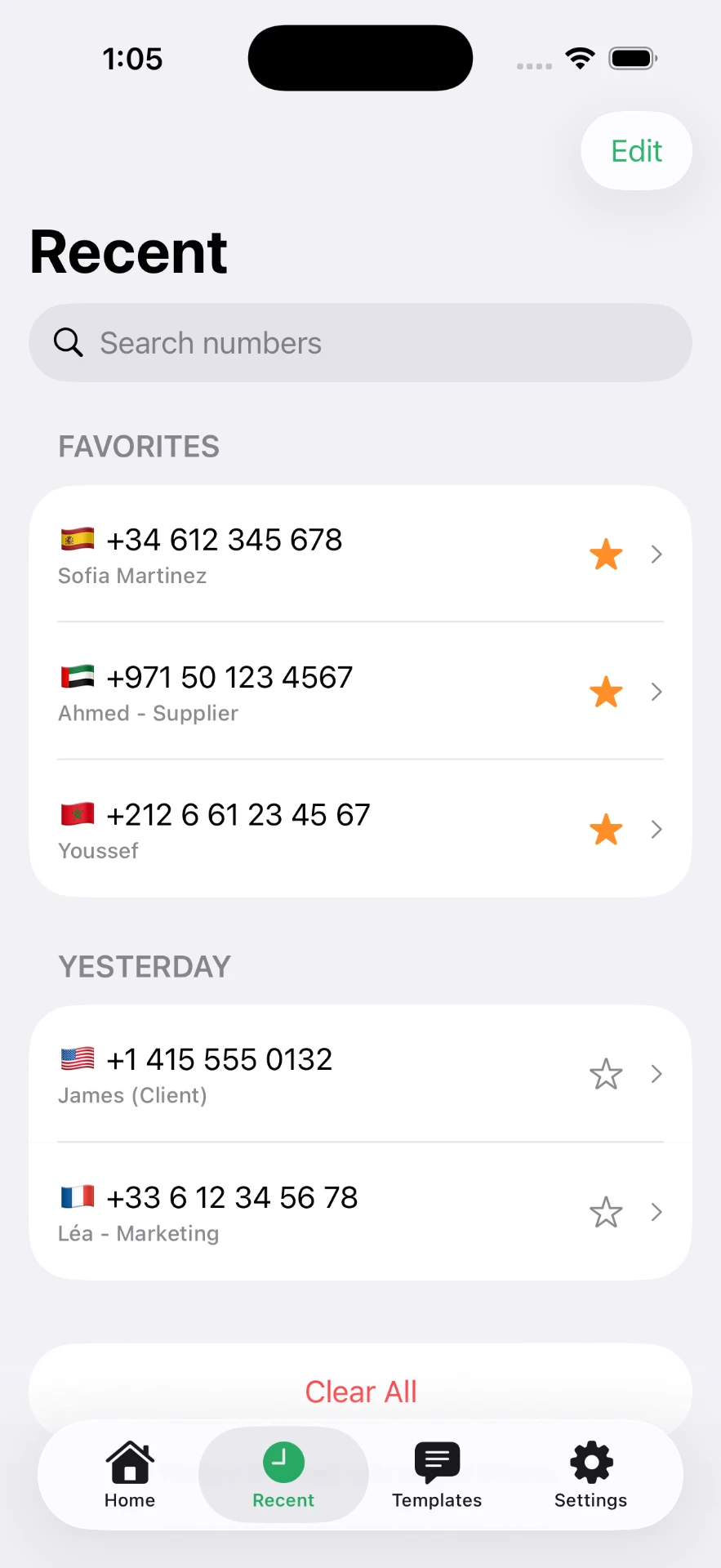
Numbers you open are kept in a list grouped by day, each with its country flag. Star the ones you come back to and give them a label — a supplier, a client, a driver — without any of it touching your address book.
- Grouped by day, newest first
- Star favorites for one-tap access
- Custom labels instead of raw digits
- Swipe to remove anything you are done with
Message templates
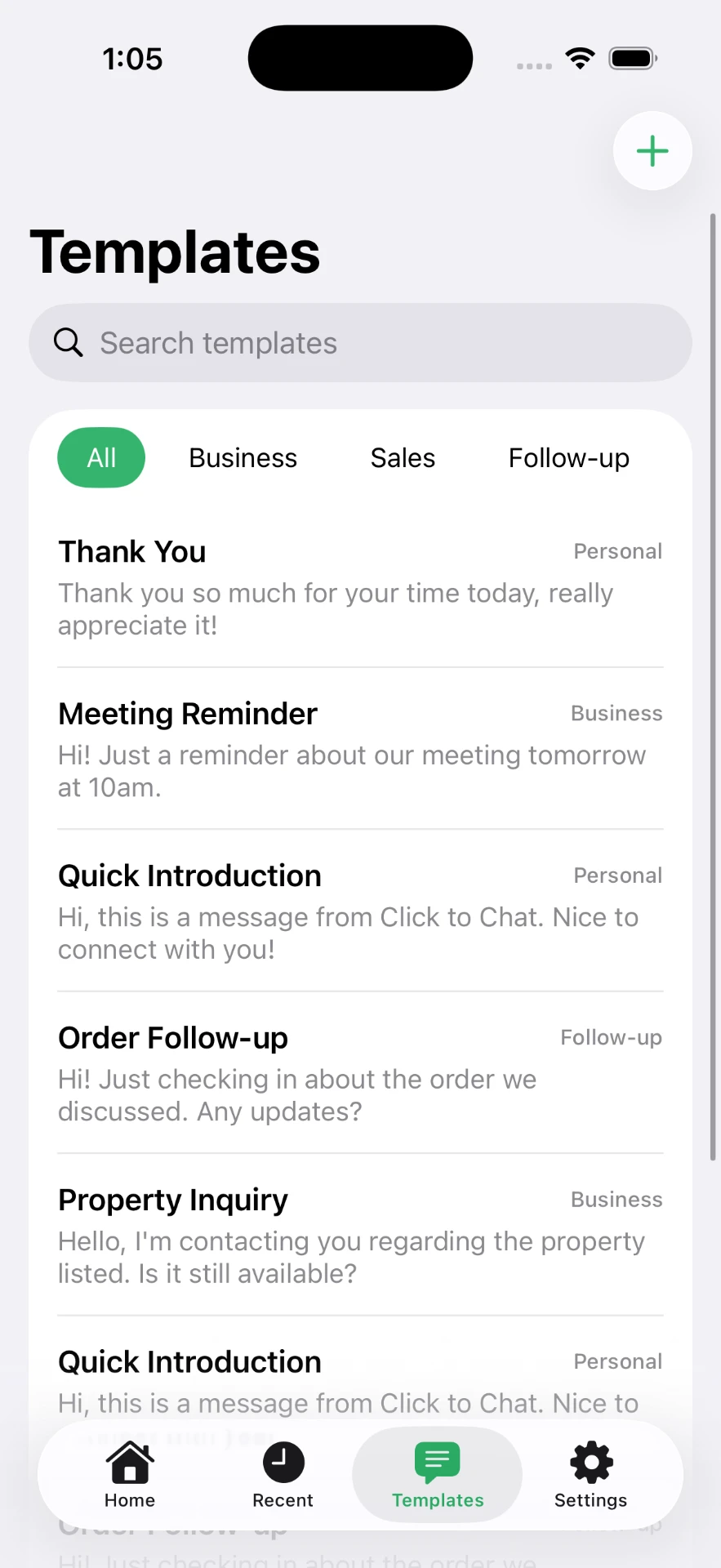
If you send the same three replies all day, write them once. Templates are organised into categories and drop straight into the chat, pre-filled and ready to review before you send.
- Categories such as Business, Sales and Follow-up
- Search across all templates
- Attach a template to a number in one flow
QR codes, both ways
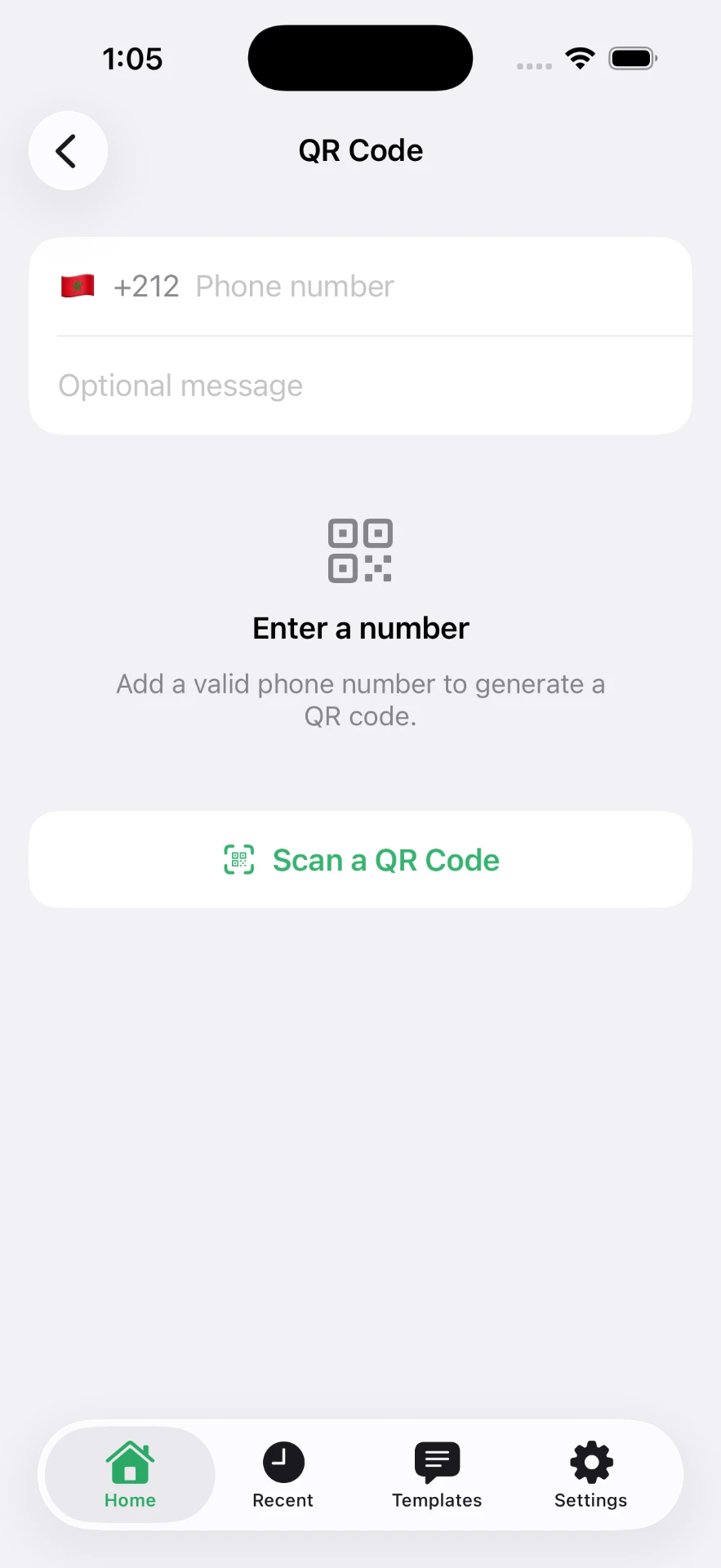
Generate a code for your own number so customers can reach you from a window, a menu or a business card. Scan someone else's with the camera to open the chat without typing anything.
- Generate with an optional pre-filled message
- Save or share the image
- Scan codes directly in the app
Privacy by design
The app does not need your contacts to do its job, and your recents, favorites and templates stay on your iPhone. Messages are sent through WhatsApp itself — Click to Chat never sees their content. Full detail is in the privacy policy.
Click to Chat is an independent utility and is not affiliated with, sponsored by, or endorsed by WhatsApp LLC. WhatsApp is a trademark of its respective owner.