
Alternatives to Saving a WhatsApp Number
Saving a contact is the default answer to every one-off number, and it is rarely the right one. Here is what the alternatives actually look like in daily use.
What saving actually costs
A contact is not a note to yourself. It syncs to every device signed into your account, lands in backups, and often propagates to other apps that request contact access. A courier you spoke to once ends up outliving the delivery by years.
Four alternatives
1. Open the chat from a link
A wa.me link starts the conversation from digits alone. Step-by-step instructions are in opening a chat without saving, and the link generator builds one for you.
2. Pin or archive the thread
Once a conversation exists it stays in your chat list. Pin the ones you need this week and archive the rest — WhatsApp's own search finds them by digits later.
3. Scan or share a QR code
A QR code carries the chat link, so nobody has to read a number aloud. See the QR generator and business QR codes.
4. Keep the number outside your address book
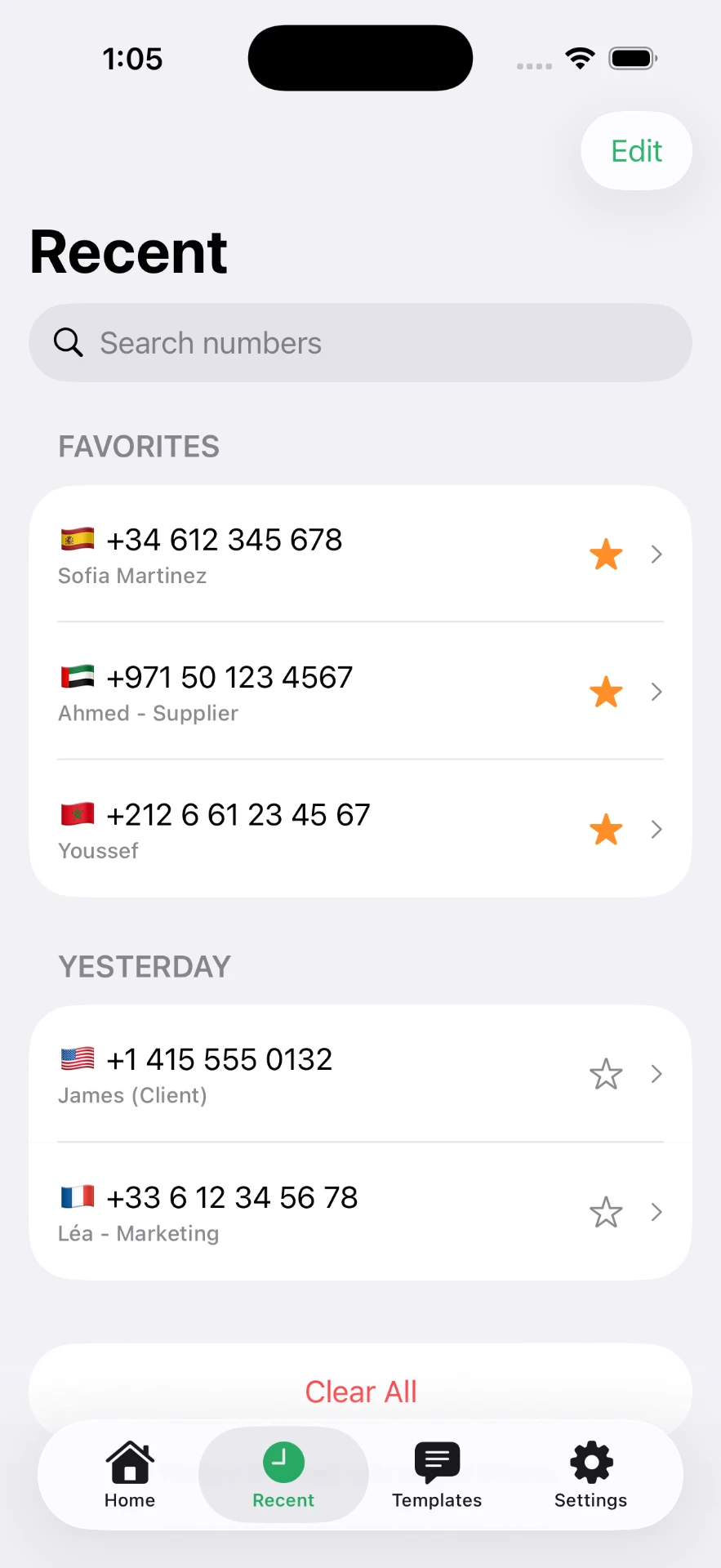
Click to Chat keeps recent numbers, favourites and labels on the iPhone itself, so the number is one tap away without a contact record. The features page shows the rest.
Undoing contacts you already saved
- Delete the contact in the Contacts app — the WhatsApp chat survives it.
- Expect the thread to relabel itself with the number; that is the only visible change.
- Archive the conversations you might want later rather than deleting them, so the history is still searchable.
Nothing is sent to the other person when you remove them from your contacts.
Which one to use
- One message, never again — a link, then let the chat drift down the list.
- A number you will need this month — a labelled recents entry.
- People contacting you — a QR code or a published chat link.
- Genuinely part of your life — save the contact. That is what it is for.
Related reading: messaging an unsaved number and the main guide.
Frequently asked questions
Is there an alternative to saving a WhatsApp contact?
Several: open the chat from a wa.me link, keep the thread pinned or archived, scan a QR code, or keep the number in an app that stores it outside your address book.
What happens if I delete a contact I already saved?
The conversation stays. It simply shows the phone number instead of the name, and you can keep messaging in it.
Will deleting a contact remove them from my WhatsApp?
No. WhatsApp accounts are tied to phone numbers, not to your contact list. Removing the contact only changes how the chat is labelled on your phone.
How do I find an unsaved chat again later?
Pin it, archive it, or search the digits in WhatsApp's search box. Apps that keep a labelled recents list solve the same problem without an address book entry.
Do unsaved numbers still get backed up?
The chats are part of your WhatsApp backup, as any chat is. What you avoid is the number spreading through contact sync to every device and service linked to your account.
Click to Chat is an independent utility and is not affiliated with, sponsored by, or endorsed by WhatsApp LLC. WhatsApp is a trademark of its respective owner.