Business Chats on WhatsApp Without Saving Customer Numbers
Sales and support run on numbers that matter for a day. Saving each one turns a phone's address book into a graveyard of half-remembered enquiries within a month.
Why keep customers out of contacts
- Contacts sync to every device signed into the same account, including personal ones.
- They persist in backups long after the order closed.
- Duplicate and misspelled entries make searching for real contacts slower.
- Staff turnover leaves customer data on a former employee's phone.
None of that is necessary to hold a conversation — a chat link is enough. The chat-without-saving guide covers the basic mechanics.
A workable daily workflow
- Take the number from the order, form or call log and normalise it: country code plus digits, checked against the country code list.
- Open the chat directly — see opening a chat without saving.
- Start with a written opening line rather than typing it fresh, either through a link with a pre-filled message or a saved template.
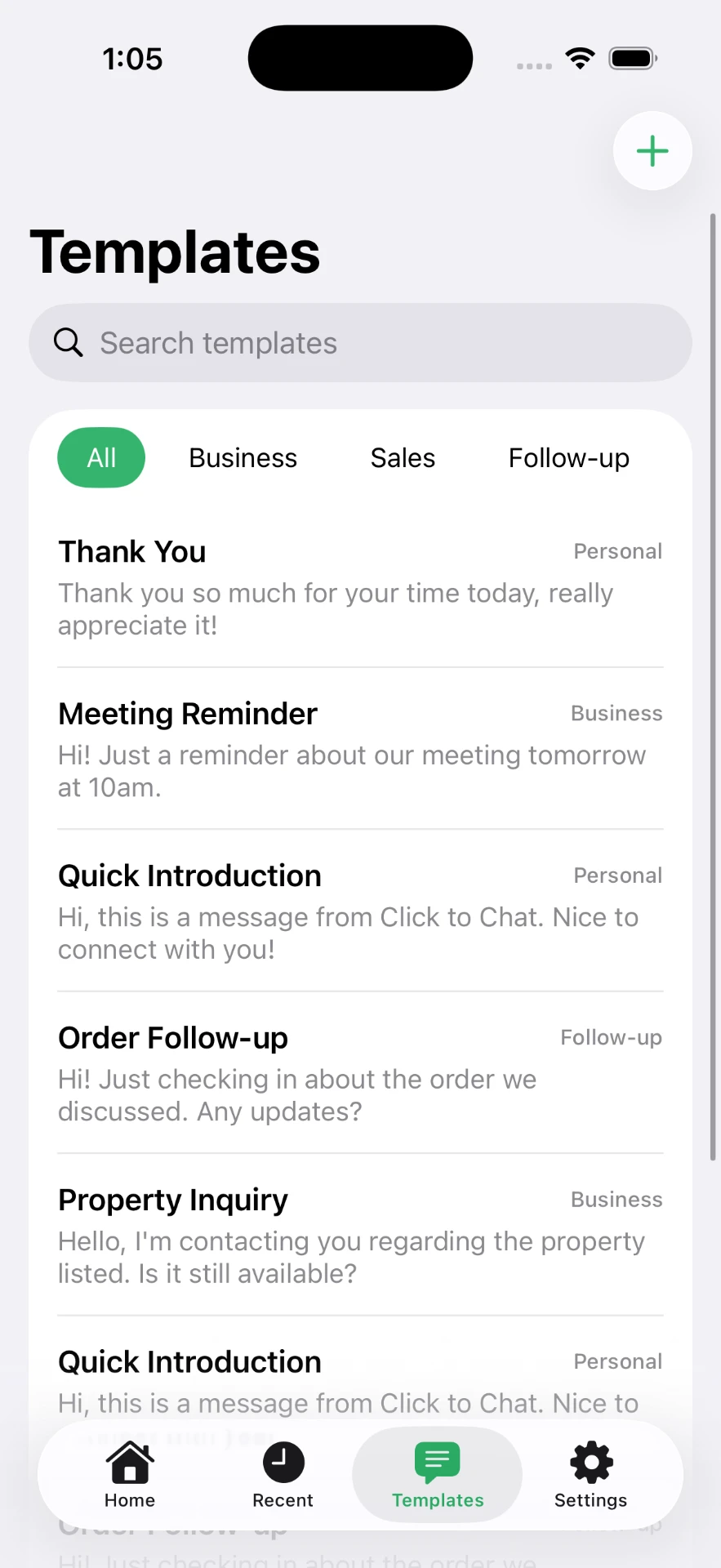
Click to Chat keeps those templates and a labelled recents list on the device, so a follow-up two days later takes one tap and still no contact entry. Wording you can lift is in the template library.
Letting customers start the chat
The cleanest version of this is inbound: the customer opens the conversation, so you never handle their number at all. Put a chat link on the site and a QR code on receipts, packaging and signage — QR codes for business covers sizing, placement and what to encode.
Shared numbers and handovers
When several people cover one line, the address book is the worst possible place to keep context: it is per-device and invisible to everyone else. Keep customer records in whatever system already holds orders, and treat WhatsApp as the channel rather than the database.
For the underlying link mechanics, see the wa.me format reference; for desktop work, the WhatsApp Web guide.
Frequently asked questions
Can I message a customer on WhatsApp without saving their number?
Yes. Open a wa.me link built from their number and the chat starts immediately. Saving the contact is only a convenience for finding them later.
Why should a business avoid saving every customer number?
Contacts sync across devices and backups, mix personal and work numbers together, and quickly become an unmanageable list. Keeping one-off enquiries out of the address book keeps it usable.
Does this work with the WhatsApp Business app?
Yes. Chat links open in whichever WhatsApp app handles them on the device, Business included.
Can I reuse the same opening message for every customer?
Yes — put it in the link with ?text=, or keep it as a template and attach it to whatever number you are contacting.
Is it against WhatsApp rules to message customers this way?
Opening a chat with a number is a normal use of WhatsApp. What matters is consent and volume: message people who asked to hear from you, and do not use it for bulk unsolicited outreach.
Click to Chat is an independent utility and is not affiliated with, sponsored by, or endorsed by WhatsApp LLC. WhatsApp is a trademark of its respective owner.